
Personal Digital Banking
Your Personal Online Banking Account Access is Changing January 26, 2026
If you are currently enrolled in Pacific Premier Personal Online Banking, review the information below to understand critical information and important actions to take in preparation of the transition of your online accounts and services on January 26, 2026.
If you are currently enrolled in Pacific Premier Personal Online Banking: |
|
You will automatically be enrolled in: Columbia Personal Online Banking
Note your current Pacific Premier Personal Online Banking username and password You will need your existing username and password to log into Columbia’s Personal Online Banking for the first time, beginning January 26. If you don’t know your current username or password, please recover or reset them before January 23, 2026 and save them. Do this by selecting “Need Help?” from the Online Banking Login box on ppbi.com. |
Watch Your Mail
In January, please watch your mail for important login details.
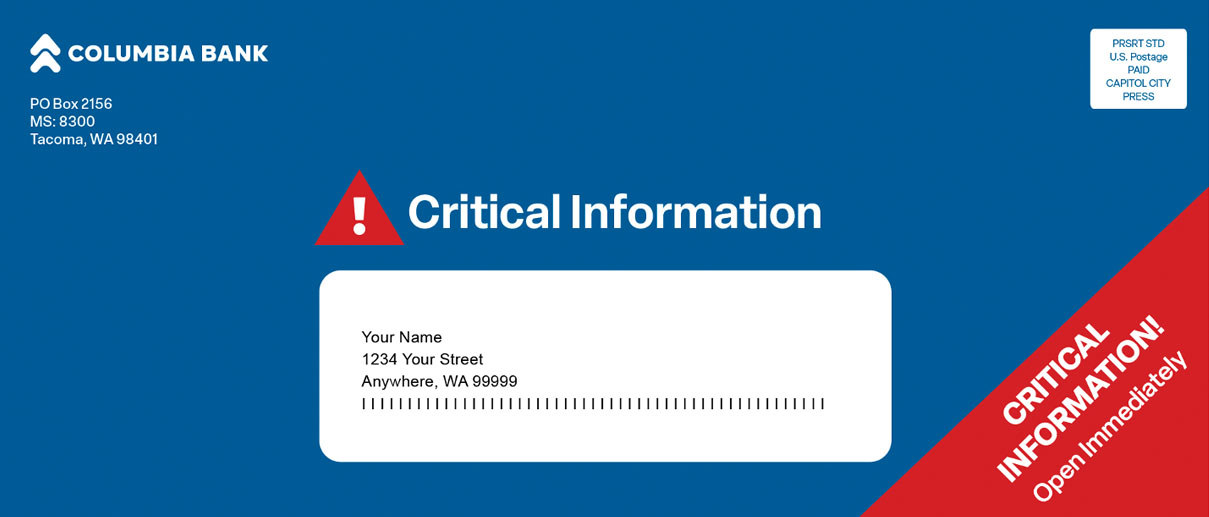
Personal Online Banking Login Details
Watch for your first-time login instructions.
This information mails in early January 2026 and will help guide you through your first login to our Columbia Personal Online Banking system.
Critical Dates
Prior to January 20, 2026
First-time login instructions mailed in blue envelopes.
January 23, 2026 at 5:00 p.m. PT
Pacific Premier Personal Online and mobile banking will be unavailable.
Beginning January 26, 2026 at 8:00 a.m. PT
Log into Columbia’s Personal Online Banking at columbiabank.com.
Digital Transition Checklist
To help ensure a smooth online banking transition, we recommend you do the following prior to January 23, 2026:
Ensure you know your current username and password.
You will need to know your current username and password to access Columbia’s Personal Online Banking on or after January 26, 2026. If you don’t know your current username or password, please recover or reset them before January 23, 2026 and save them. Do this by selecting “Need Help?” from the Online Banking Login box on ppbi.com.
Ensure your phone number is accurate in Pacific Premier’s Personal Online Banking system.
Please make sure we have your current phone number in the Pacific Premier Personal Online Banking system today. During your first login to Columbia’s Personal Online Banking system, we will send a Secure Access Code (SAC) to the phone number we have on file as an added security measure. If you cannot receive the SAC, you will be required to call Columbia’s Customer Care Support Center for assistance.
Watch your mail for first-time login instructions.
You should receive these no later than January 20, 2026.
Note any recurring and future scheduled transfers set up in Pacific Premier Personal Online Banking.
Recurring transfers set up through Pacific Premier Personal Online Banking between existing Pacific Premier accounts or with accounts at other financial institutions that you own will need to be set up again in Columbia’s Personal Online Banking system beginning January 26, 2026.
Make alternate arrangements for any transfers scheduled to occur between Friday, January 23 and Monday, January 26.
These payments will not process during the transition weekend.
Backup your Quicken or QuickBooks data and complete a final transaction download by 5:00 p.m. PT on January 23, 2026.
You will need to reactive and reconnect your Quicken/QuickBooks accounts after the transition.
Save contacts within Zelle®.
Once you re-enroll, you will need to set up your payee contacts again within Zelle®. There is also a convenient way to import contacts you may already have on your device.
Note any alerts you have established in Pacific Premier Personal Online Banking.
You will need to re-establish them up in Columbia’s Personal Online Banking system after January 26, 2026.
Note any card alerts you have established in Pacific Premier Personal Online Banking.
You will need to re-establish them in Columbia’s Personal Online Banking system after January 26, 2026.
Note any nicknames you have established in Pacific Premier Personal Online Banking.
You will need to recreate them in Columbia’s Personal Online Banking system after January 26, 2026.
Service Interruptions
The following services will be interrupted during the transition:
|
Zelle® |
You will be automatically un-enrolled from Zelle®, disconnecting your Pacific Premier Bank-linked mobile numbers and email addresses. |
|
Monday, 1/26/26 – 8:00 a.m. PT |
You will need to re-enroll with Zelle® through Columbia’s Personal Online Banking or the mobile app. |
|
Mobile Deposit |
You will no longer be able to use the Mobile Deposit function within Pacific Premier’s Personal mobile app. |
|
Monday, 1/26/26 – 8:00 a.m. PT |
Mobile Deposit services are available through Columbia Bank’s mobile app. |
|
Pacific Premier Personal Online and Mobile Banking |
You will no longer be able to access Pacific Premier Personal Online Banking or mobile app. Transfers scheduled to occur between Friday, Jan. 23 and Monday, Jan. 26 will not process. Please make alternate arrangements for them during this transition weekend. |
|
Monday, 1/26/26 – 8:00 a.m. PT |
Columbia’s Personal Online Banking and the Columbia Bank mobile app are available to access your accounts. |
|
Personal Bill Pay |
Bill Pay through Pacific Premier’s Personal Online Banking will become unavailable. |
|
Monday, 1/26/26 – 8:00 a.m. PT |
Bill Pay is available through Columbia’s Personal Online Banking or the Columbia mobile app. |
|
Quicken, QuickBooks and other Intuit Products |
Ensure you’ve backed up your data. Deactivate and disconnect your online banking connection for accounts connected to Pacific Premier. |
|
After January 26, 2026 |
Reconnect your Quicken, QuickBooks or other Intuit products to Columbia’s Personal Online Banking. |
|
Telephone Banking |
Pacific Premier’s Telephone Banking will no longer be available. |
|
Monday, 1/26/26 – 8:00 a.m. PT |
Call Columbia’s Telephone Banking at 888-678-7800, option 2. |
|
SMS Text Banking |
SMS Text Banking will no longer be available. Please use Columbia’s Personal mobile banking app for your mobile account needs. |
Key Changes to Services
These are the changes you need to know about to ensure a smooth transition.
Zelle®
You will be un-enrolled and will need to re-enroll with Columbia Bank.
Recurring and Scheduled Transfers
You will need to re-establish these beginning January 26, 2026.
Card Alerts
You will need to re-establish these beginning January 26, 2026.
Quicken/QuickBooks
Activity must be downloaded prior to 5:00pm PT on January 23, 2026, and reconnected following the transition.
External Transfers
You will need to re-establish these beginning January 26, 2026.
Alerts
You will need to re-establish these beginning January 26, 2026.
Card Controls
You will need to re-establish these beginning January 26, 2026.
eStatements
Requires re-enrollment.
Mobile App
You will need to download the Columbia Mobile app.
Nicknames
You will need to re-establish these beginning January 26, 2026.
eBills
You will need to re-establish these beginning January 26, 2026.
Personal Bill Pay
Will automatically transition over with limited changes or actions.
SMS Text Banking
Will be discontinued. Consider downloading the Columbia Mobile app for access to your accounts.
First-Time Login
Login to Columbia’s Personal Online Banking beginning January 26, 2026.
Training Resources
View FAQs and user guides to help you with Columbia’s Personal digital banking system and services.
Services & Support
We are here to help you throughout the transition.
Zelle® and the Zelle® related marks are wholly owned by Early Warning Services, LLC and are used herein under license.
